
Download Deluxe Moon Pro – Moon phases, astronomy, gardening tool
Deluxe Moon Pro, crafted by Lifeware Solutions, is a comprehensive moon‑information application that brings accurate lunar and solar data straight to your desktop or mobile device. Whether you are an avid astronomer tracking the next lunar eclipse, a gardener planning planting schedules around moon phases, or simply a curious mind wanting to know the exact time of moonrise in your city, Deluxe Moon Pro delivers the data you need with a clean, user‑friendly interface. The software pulls real‑time data from trusted astronomical databases and augments it with location‑specific calculations, giving you up‑to‑the‑minute moon age, phase, distance, rise and set times, as well as sunrise, sunset, solstice and equinox tables.
In addition, it offers a range of extras such as zodiac sign information and brief astrology readings, making it a versatile tool for both scientific and personal interests. All of this is packaged in a secure, regularly updated application that runs on the major operating systems, ensuring you can rely on it whether you’re on Windows, macOS, Android, or iOS. With Deluxe Moon Pro, the mysteries of the night sky become instantly accessible, empowering you to plan, observe, and enjoy the celestial rhythms that affect so many aspects of daily life.
Key Features & Capabilities
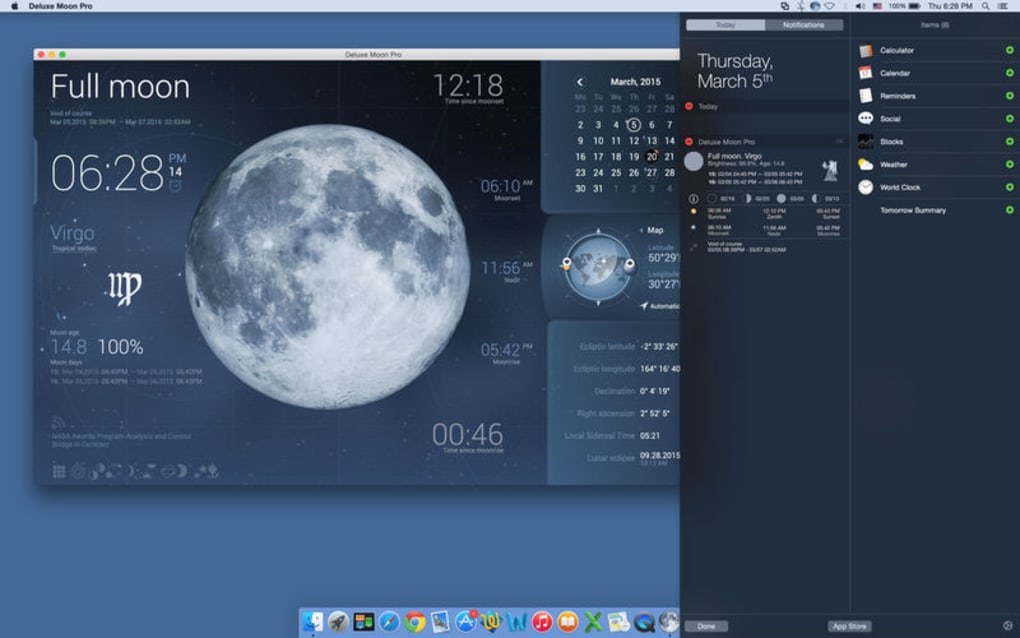
- Live Moon Phase Tracker – shows current phase, illumination percentage, and visual representation.
- Moon Age & Distance – precise calculation of the moon’s age in days and its distance from Earth.
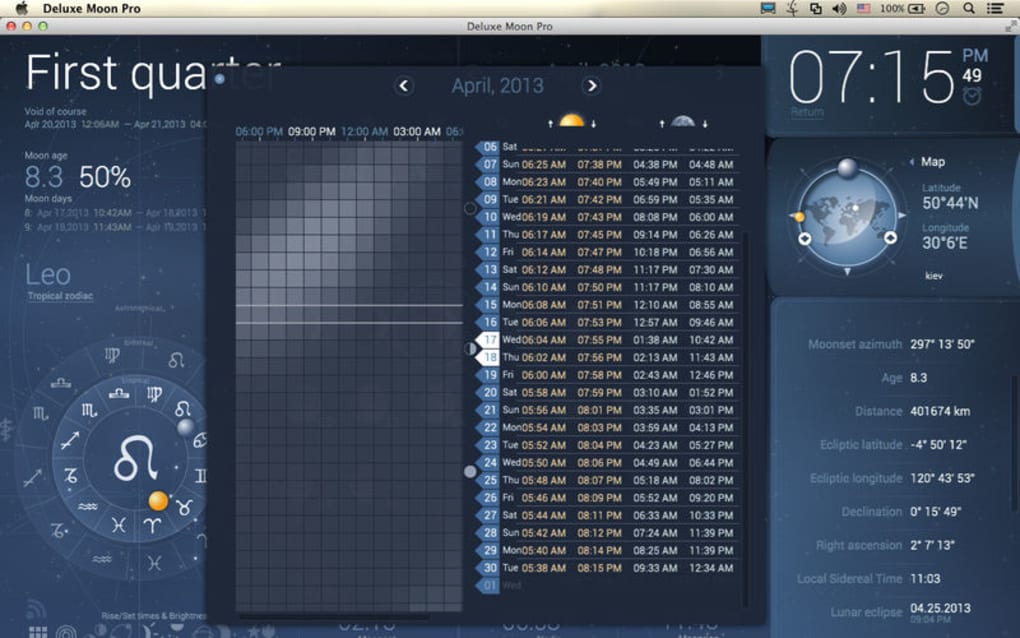
- Moonrise & Moonset Times – automatically adjusted to the user’s location or any manually entered coordinates.
- Solar Data – sunrise, sunset, civil twilight, nautical twilight, and astronomical twilight times.
- Solstice & Equinox Tables – complete yearly tables for both hemispheres.
- Location & Time Simulation – manually set any date, time, and geographic location to forecast future lunar and solar events.
- Future Planning Calendar – integrates moon phases with a calendar view for gardening, fishing, or photography schedules.
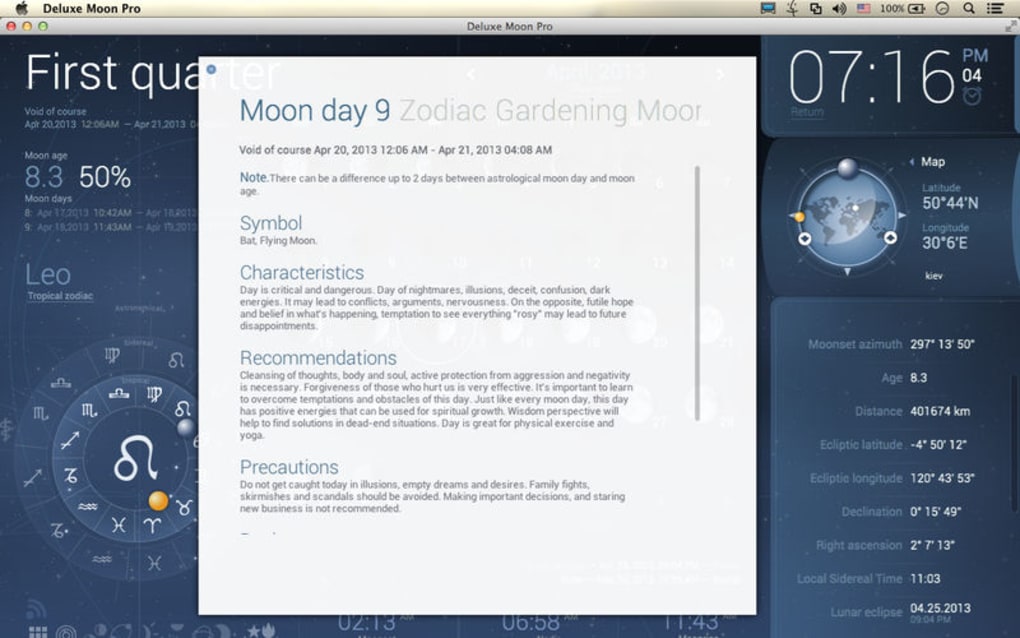
- Zodiac & Astrology Insights – brief readings based on current moon sign and planetary aspects.
- Custom Alerts – push notifications for upcoming full moons, new moons, eclipses, and optimal planting windows.
- Data Export – export daily or monthly reports in CSV or PDF for research or personal records.
The feature set of Deluxe Moon Pro goes beyond a simple phase calendar. By allowing manual location and time adjustments, the app becomes a powerful forecasting tool. For instance, a horticulturist can simulate the moon’s influence on seed germination weeks in advance, while an astronomer can preview the exact timing of a lunar eclipse from any spot on the globe.
The integration of solar parameters means you no longer need a separate sunrise‑sunset app; everything you need for outdoor planning lives under one roof. The zodiac and astrology modules, though optional, add a pleasant touch for users who enjoy a bit of celestial storytelling alongside hard data. All features are presented in a clean layout that separates lunar and solar information, with color‑coded icons for quick visual reference.
Moreover, the software receives regular updates that incorporate the latest astronomical algorithms, guaranteeing that the data remains scientifically accurate and trustworthy.
Installation, Compatibility & How to Use Deluxe Moon Pro
Getting started with Deluxe Moon Pro is straightforward. The installer is available for free download from the official Lifeware Solutions website. Choose the version that matches your operating system—Windows 10/11, macOS 10.15 or later, Android 8.0 or higher, and iOS 13 or newer are all fully supported. After downloading, run the installer and follow the on‑screen prompts: accept the license agreement, choose an installation folder, and let the wizard copy the necessary files. The application requires an internet connection for the initial data sync, after which it caches the current lunar cycle for offline use.
Once installed, launch Deluxe Moon Pro and you will be greeted by the main dashboard. The first time you open the app, it will request permission to access your device’s location services. Granting this permission enables automatic detection of your city, latitude, and longitude, ensuring that all moonrise, moonset, sunrise, and sunset times are precisely tailored to your environment. If you prefer to work with a different location—perhaps for travel planning or scientific observation—you can manually enter the coordinates in the Settings panel. The Settings also allow you to select a preferred time zone, measurement units (metric or imperial), and notification preferences.
Using the app is intuitive: the left sidebar houses the “Moon” tab, showing phase, age, distance, and rise/set times. Switch to the “Sun” tab for solar data, and the “Calendar” tab to view a month‑wide overview of lunar phases and solar events. To simulate future dates, click the “Simulation” button, pick a date from the calendar widget, and optionally adjust the location.
The app instantly recalculates and displays the projected moon and sun parameters for the selected scenario. For gardeners, the “Planting Guide” overlay highlights the best days for sowing based on the moon’s waxing or waning state. Finally, use the “Export” function to generate a report of any selected period, which can be saved as a PDF for sharing or printed for field reference.
Pros, Cons, Frequently Asked Questions & Final Verdict
Pros
- Extremely accurate and up‑to‑date lunar and solar data.
- Cross‑platform support (Windows, macOS, Android, iOS).
- Manual location and time simulation for advanced planning.
- Integrated gardening and astrology features add unique value.
- Custom alerts and export options for both casual users and professionals.
Cons
- Free version includes occasional promotional messages.
- Advanced simulation features may have a learning curve for beginners.
- Astrology section is basic and may not satisfy serious astrologers.
- Requires periodic internet connection for data updates.
Frequently Asked Questions
Is Deluxe Moon Pro really free?
Yes, Deluxe Moon Pro can be downloaded and used for free. A premium upgrade is available that removes promotional messages and adds a few extra custom alert options.
How often is the lunar data updated?
The application syncs with the official US Naval Observatory database every 24 hours, ensuring that moon phases, rise/set times, and eclipse predictions are always current.
Can I use Deluxe Moon Pro offline?
After the initial data download, the app caches the current lunar cycle, allowing you to view moon and sun information offline for up to 48 hours. For future simulations, an internet connection is required.
Does the software support multiple locations at once?
Yes, you can save up to five favorite locations and quickly switch between them in the Settings menu, making it easy to compare lunar data for different cities.
Is there a way to receive notifications for specific lunar events?
Absolutely. The app includes a customizable alert system where you can set reminders for full moons, new moons, eclipses, or optimal planting windows based on moon phases.
In summary, Deluxe Moon Pro stands out as a reliable, feature‑rich solution for anyone who needs precise lunar and solar information. Its blend of scientific accuracy, cross‑platform availability, and thoughtful extras—such as gardening guidance and basic astrology—makes it a versatile tool for hobbyists and professionals alike. While the free version carries occasional promotional notices and a modest learning curve for its advanced simulation mode, the overall value far outweighs these minor drawbacks. If you’re looking to deepen your connection with the night sky, improve planting schedules, or simply enjoy a beautifully designed moon‑tracking app, Deluxe Moon Pro is well worth the download.
Ready to explore the lunar cycle like never before? Click the button below to download Deluxe Moon Pro for free and start planning your next garden, photo shoot, or stargazing session today!







